
Super Audio Converter is a fast and efficient encoder that supports the five most popular audio formats–MP3, WAV, OGG, VQF and WMA (including WMA9). You can convert from and to any of these formats, providing a batch conversion capability that allows you to select a different source and target format for every audio file.
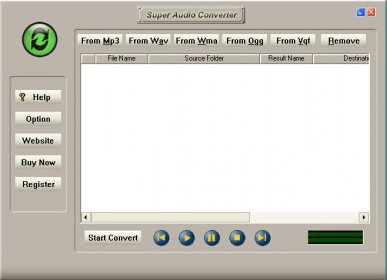
Once installed, Super Audio Converter allows for three different ways of performing its audio conversions. You can either drag and drop any number of the supported audio files into its main window, or click on the format tabs provided to locate audio files within your system. As a third option, you can also use the Windows context menu to perform your audio conversions–just right-click on any of the audio file supported and you will be able to chose from any of the five encoding options that Super Audio Converter has added to your context menus.
The program will ask for a target format for every file or group of files added to the encoding window. This will allow you to batch as many encoding tasks as needed and perform many different conversions with just one mouse click. You can also select a different output folder for every file or group of files, if so desired.
Super Audio Converter also includes a built-in player that lets you listen to any of the audio files selected.

 dbForge SQL Tools 6.6
 dbForge Studio for SQL Server 6.6
 dbForge SQL Complete 6.1
 dbForge Source Control for SQL Server 2.7
 dbForge Compare Bundle for SQL Server 6.6
 dbForge Documenter for SQL Server 1.8
 dbForge Data Generator for SQL Server 4.6
 dbForge Index Manager for SQL Server 1.1
 dbForge Data Pump for SQL Server 1.9






Comments